Compatibility:
WebSite X5 Evo and Pro
Choosing the template to start from is one of the first important moments when creating a website.
Many users think they need to immediately find the “perfect” model, but in reality a template is above all a working base that can be customized in every detail.
With WebSite X5, you can start from ready-made templates, freely modify them, and adapt them to your project without writing code.
The goal, therefore, is not to find a template identical to the final result you have in mind, but to choose the one that allows you to achieve it more easily.
Thanks to predefined templates, you can speed up website design, immediately obtain a professional structure, and focus on customizing content and style.
The main steps for choosing the right template are:
- Understand what type of website you want to create
- Explore the gallery and use the preview
- Evaluate the structure and organization of the pages
- Check the responsive behavior
- Choose the desired level of customization
- Customize the project after the selection
#tip - Remember: all WebSite X5 templates can be freely modified. Colors, fonts, images, layouts, and content are never final.
1. Understand what type of website you want to create
Before even choosing the template, it is important to clearly understand the goal of your project.
It is not necessary to already have every detail defined, but understanding what type of website you want to create helps you identify much more easily the model to start from.
For example, a company website has different needs compared to a blog, an e-commerce store, a portfolio, a landing page, or a one-page website.
In fact, the following change:
- the number of pages;
- the type of navigation;
- the way content is presented;
- the presence of special sections such as catalogs, contact forms, blogs, or service areas.
For this reason, it is always advisable to choose a template that is already close to the type of project you want to create. It does not need to be identical to the final result: it simply needs to help you start faster with an already organized base.
#tip - If you are not yet sure how to structure the website, you can also start with MagicSite and let the AI automatically generate an initial customized proposal.
2. Explore the gallery and use the preview
Once you have clarified what type of website you want to create, you can start exploring the gallery of available templates.
WebSite X5 provides numerous ready-made templates, organized by different categories and sectors.
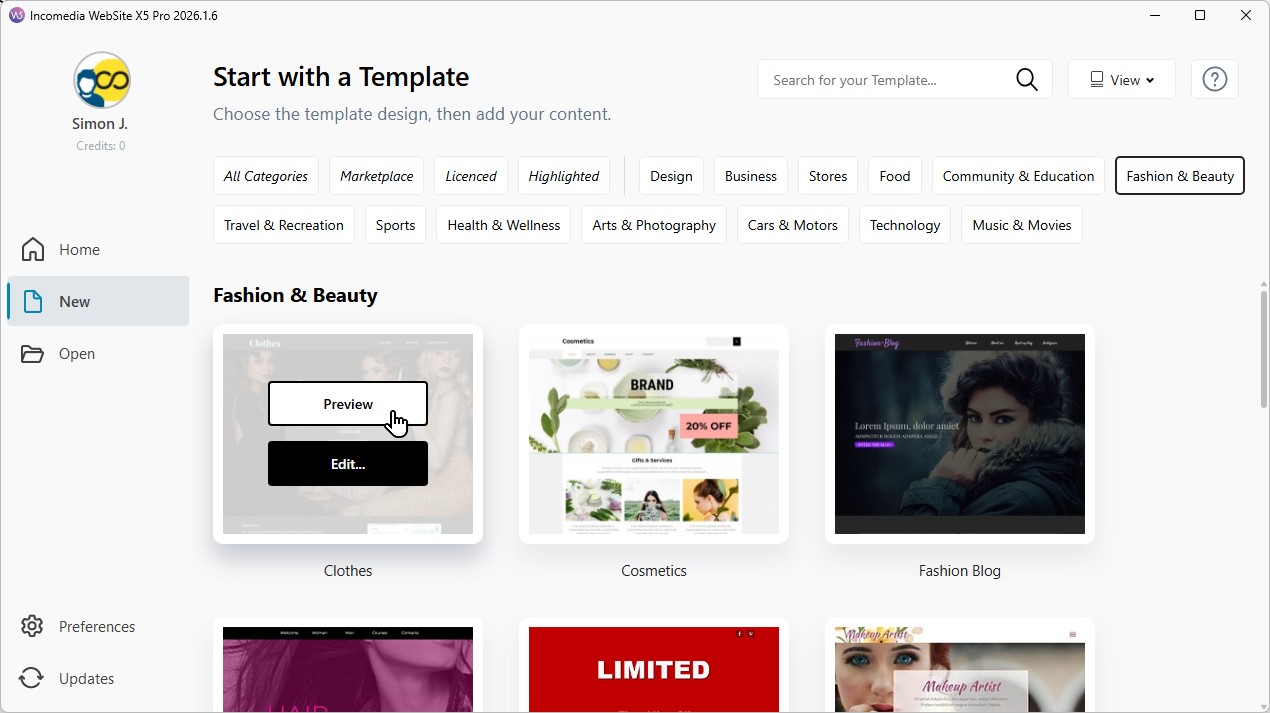
For each template, you can use the Preview button to open the project directly in the local browser and clearly view:
- the page structure;
- the navigation menu;
- the graphic style;
- the arrangement of contents;
- the responsive behavior on different devices.
This step is very important because it allows you to quickly understand whether the template is suitable for the project you have in mind even before starting customization.
3. Focus on the structure, not only on the graphics
When looking at a template gallery, it is normal to be immediately attracted by images, colors, and graphic style.
In reality, one of the most important aspects to evaluate is the structure of the project.
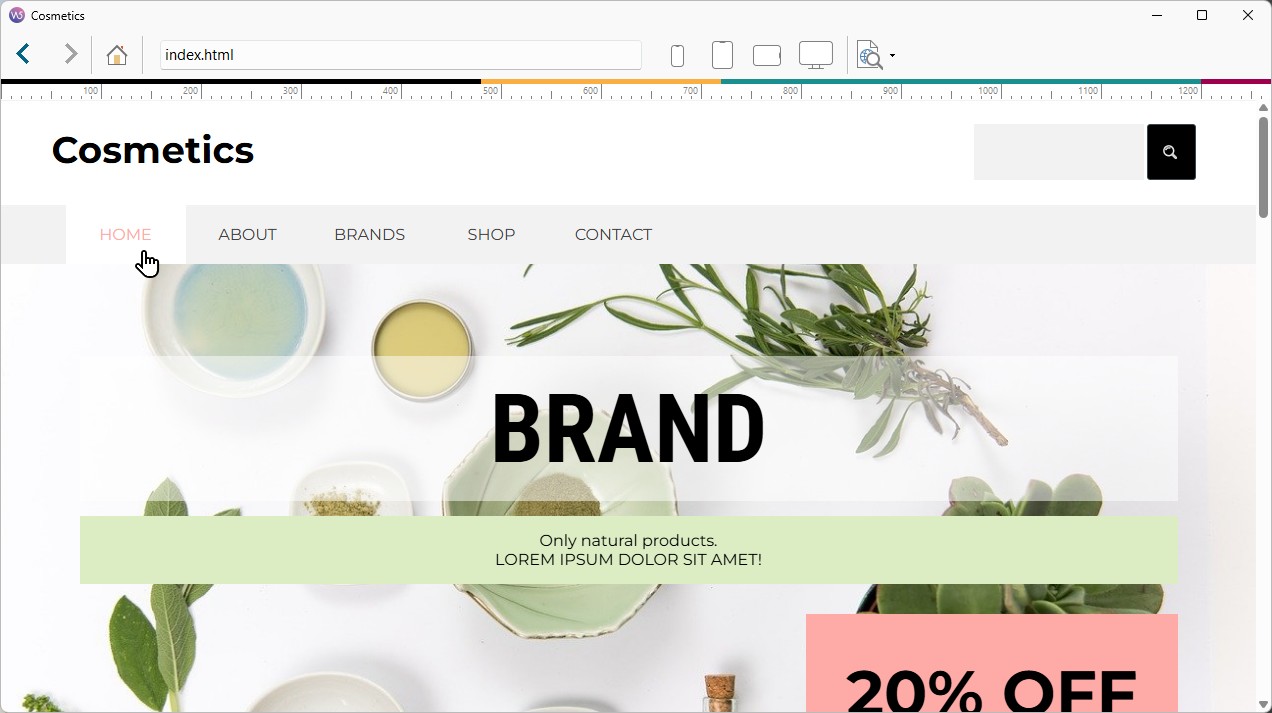
A well-organized template can greatly simplify your work because it already provides:
- clear navigation;
- well-distributed sections;
- consistent pages;
- spaces designed for specific content.
For this reason, while looking at a template, try asking yourself:
- is the menu easy to navigate?
- are the sections well organized?
- is there enough space for the content you want to add?
- does the layout reflect the type of communication you want to achieve?
Remember that images, colors, and fonts can be easily modified.
A good structure, on the other hand, is what truly helps you build an effective website that is easy to manage over time.
4. Always check the responsive behavior
Today, a large part of web browsing happens on smartphones and tablets.
For this reason, it is important to always check how the template adapts to different screen sizes.
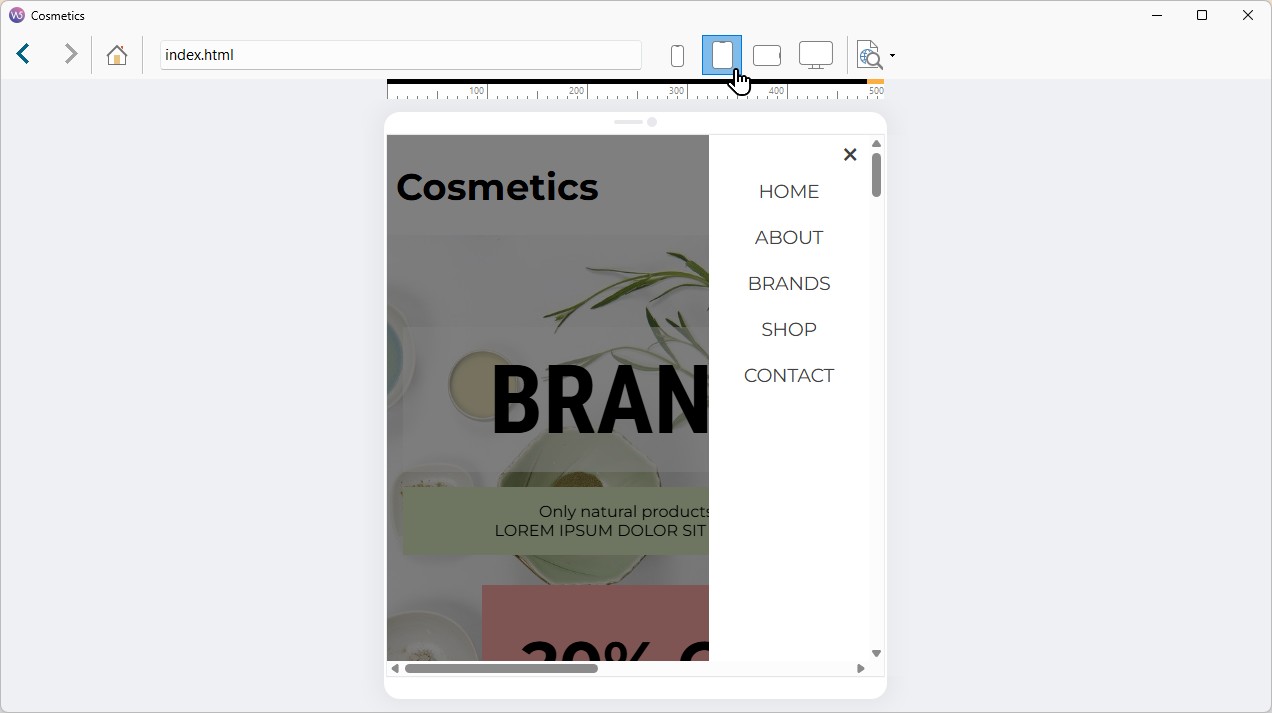
With WebSite X5, you can use the Preview to check:
- desktop display;
- tablet adaptation;
- smartphone navigation;
- content readability;
- the behavior of responsive menus.
A good template must be clear, readable, and easy to navigate on any device.
#tip - Even if the template is already responsive, you can still customize how contents behave at different breakpoints. Learn more by reading the guides in the Responsive Web Design section.
5. Evaluate how much you want to customize the project
Not all projects require the same level of customization.
If you want to publish the website online quickly, it may be useful to choose a template already very close to the desired final result. In addition to the templates included in the software, you can also consider those available on the Marketplace of WebSite X5, where you can find many solutions designed for different sectors and needs.
If, on the other hand, you prefer greater creative freedom, you can:
- deeply modify an existing template;
- start from a Blank Template;
- use the AI of MagicSite to obtain an initial project to customize.
A lot depends both on your skill level and on the time you have available to create the project. In general, the greater the level of customization you want to achieve, the more work will be required to define the structure, graphics, and content of the website.
6. Customize the template after the selection
Once you have chosen the template, you can start customizing it according to your needs.
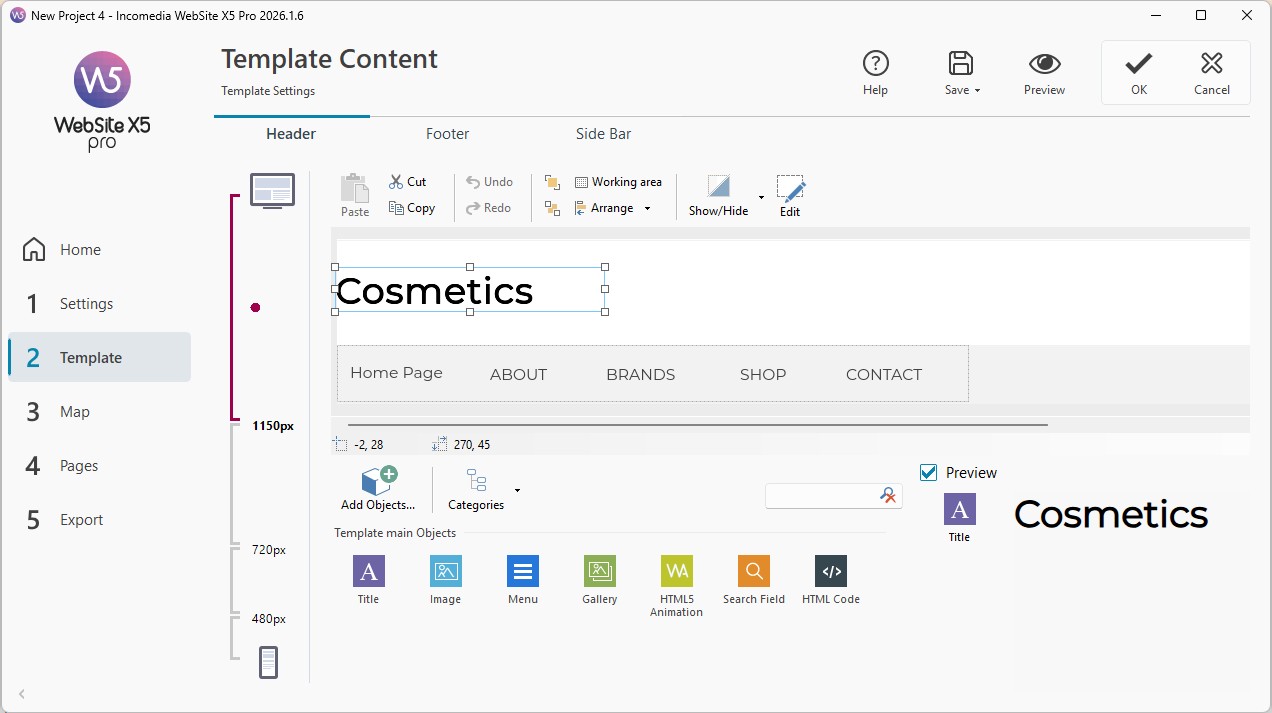
For example, you can:
- replace images and texts;
- modify colors and fonts;
- add new pages;
- remove unnecessary contents;
- change header and footer;
- insert new Objects into the pages.
The template thus becomes the starting point for building a website truly consistent with your project and your visual identity.
#tip - You can learn more about templates and customization in the guides in the Template section.
Practical tips
Choosing an effective template does not mean finding the “perfect” website already ready-made, but identifying a good starting point on which to build your project.
To achieve better results:
- choose a template close to your sector;
- focus mainly on structure and navigation;
- avoid overly complex layouts;
- always check the display on smartphones;
- customize colors, images, and texts;
- keep the project simple and consistent;
- use the template as a base to adapt to your real contents.
A well-chosen template can greatly speed up the work and help you create a website that is more organized, professional, and easier to manage over time.
In summary
WebSite X5 templates allow you to quickly start creating a professional website without starting from scratch.
The choice of the right template mainly depends on the type of project you want to create, the structure of the pages, and the level of customization you want to achieve.
Remember, however, that every template can be freely modified: the initial model is simply a tool to help you build your website in a faster and more effective way.